RHYC PORTAL

NEW MEMBERS

1.  Click on the below Link to access portal


https://customer.marinago.com/uw73vpqy

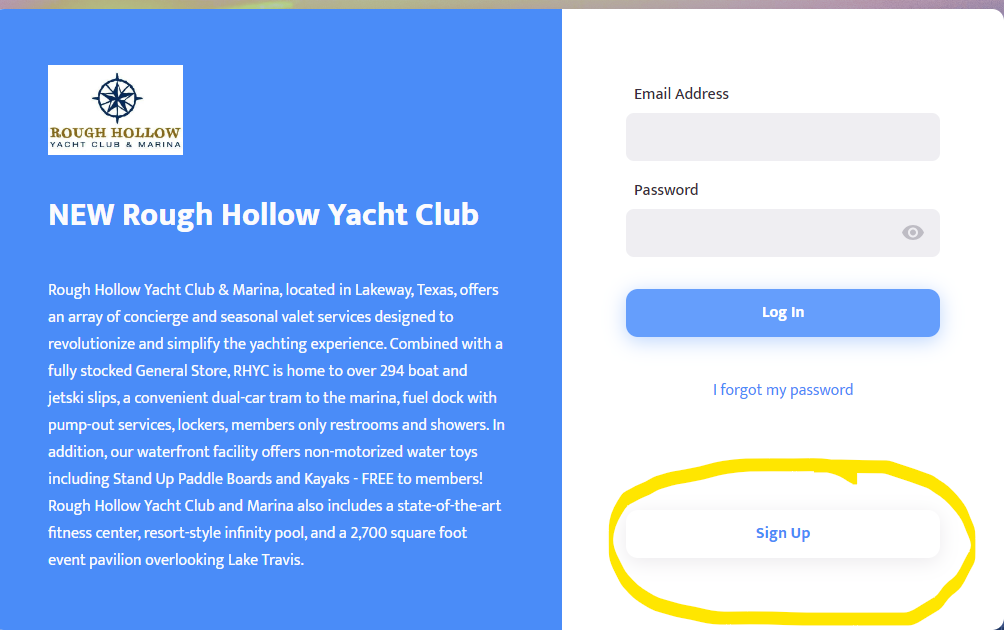
2.   Click on Sign Up


Login page for Rough Hollow Yacht Club featuring a description of the venue and a highlighted 'Sign Up' button.

3.   Enter Information and a NEW password (must be a new password from old portal). Then click on Create Account
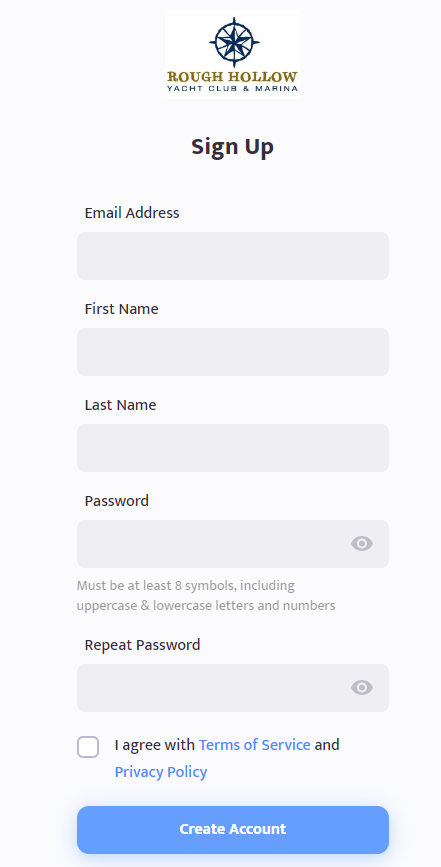

Sign up form for Boone Hollow featuring fields for email, name, password, and a terms of service agreement checkbox.

4.   Go to your email you just entered and Confirm Email


5.   The Marina will then verify your account


6.  Log Back into the Portal


Rough Hollow Yacht Club login screen with fields for email, password, and a circled Sign Up button.

7.   Click on your name in the top right corner then click View Profile
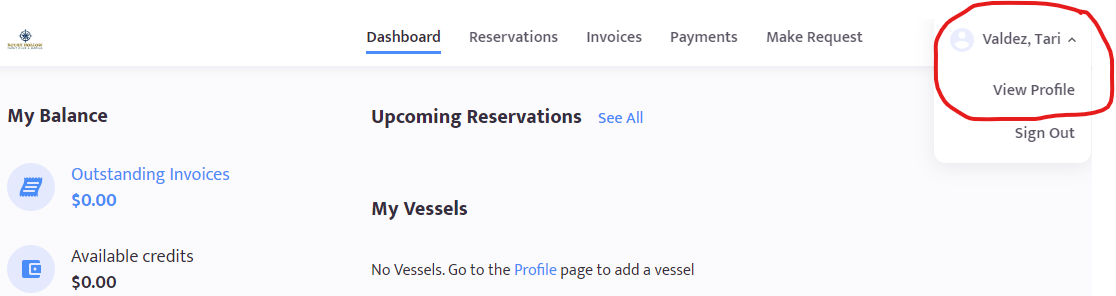

A web dashboard showing a user account menu expanded in the top right corner with profile and sign out options.

8. This is where you will add your preferred method of payment and update your profile, password, etc.
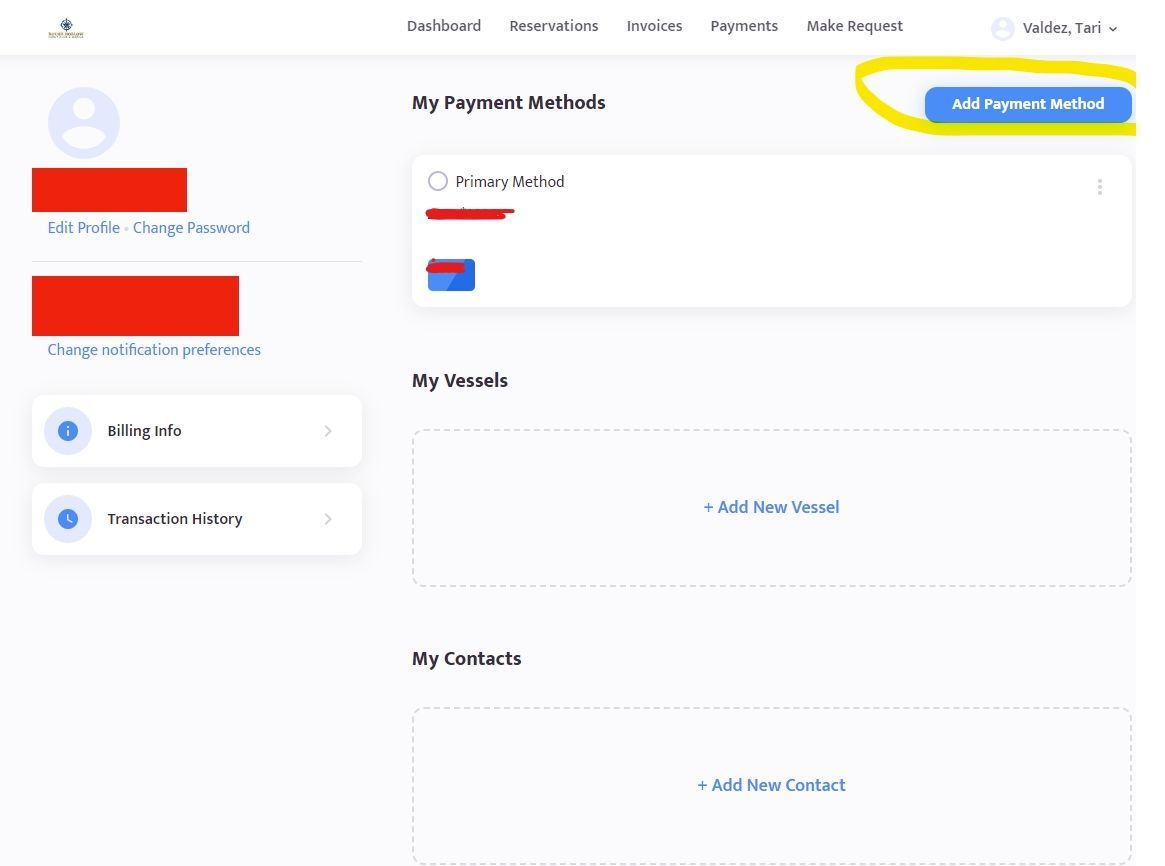

Account settings screen showing payment methods, addresses, and contacts, with a highlighted add payment method button.

9. If you are using an iPad or a Smartphone, the below will be your login Screen.
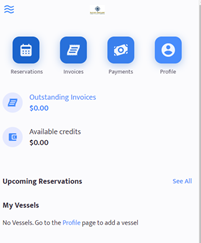
Mobile app dashboard showing navigation icons for Reservations, Invoices, Payments, and Profile, with account balances.

10. Click on Profile and then click on Credit Cards
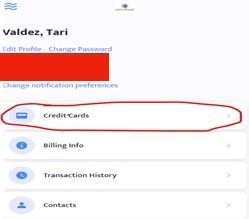
User account settings page showing options for Credit Cards, Billing Info, Transaction History, and Contacts.

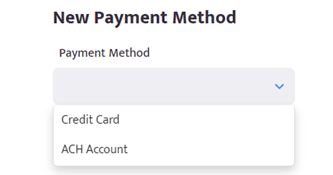
11. Click on Add Payment Method and then Select Method of Payment

12. You Do Not need to make a payment. We will run the payment for you

If you have any questions, please call Tari Valdez at the Marina at 512-261-2288 ext. 3